Free Tote Bag Mockups: Canvas Bag PSDs, Hanging and Flat
Free tote bag mockup and canvas bag mockup PSDs: hanging, on a chair and on the ground, free for commercial use, plus print size and texture tips.
By Davut TekinUpdated 5 min read
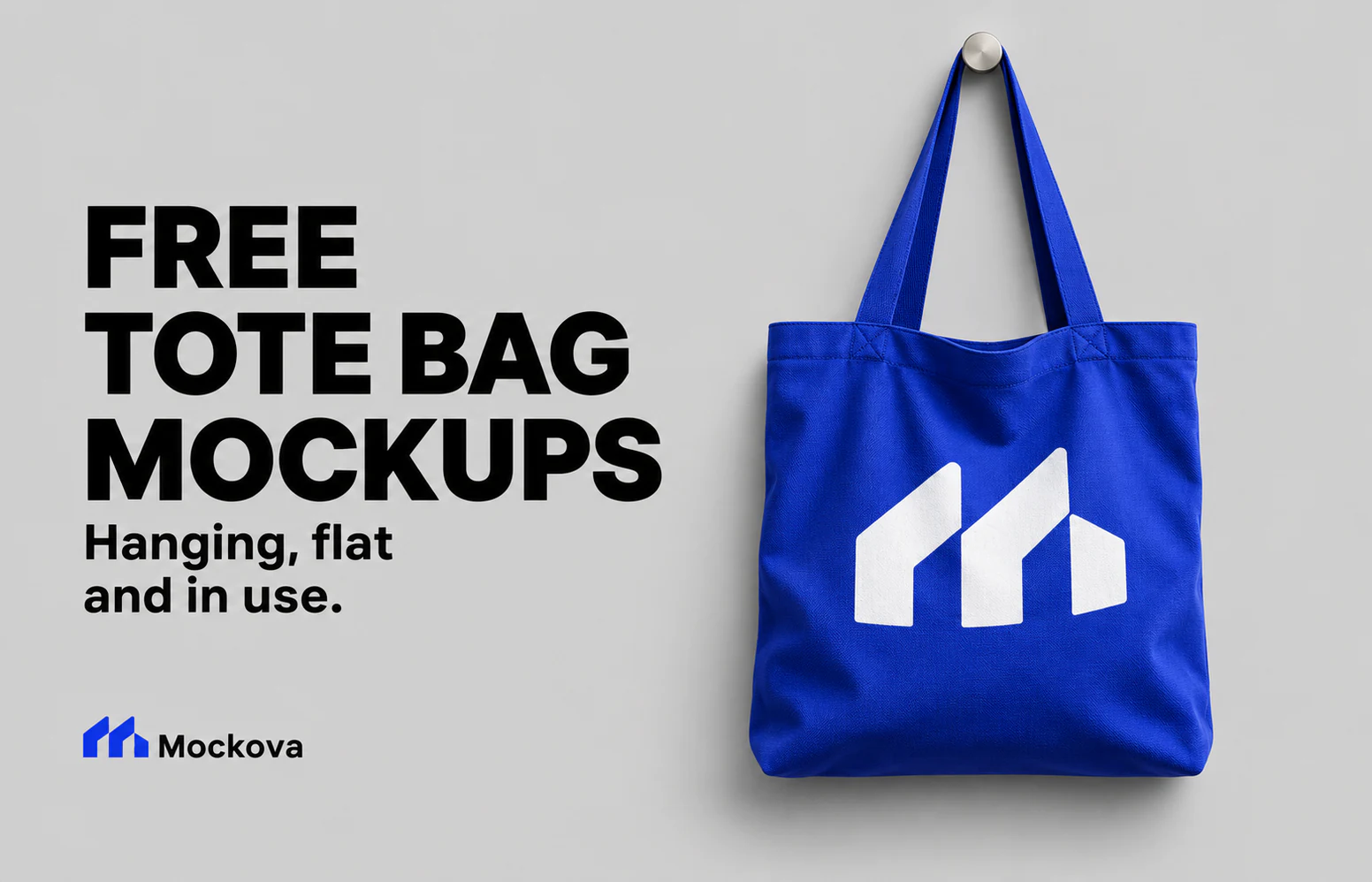
A tote bag mockup helps you preview the print before ordering or presenting it. Canvas has a visible weave: if the logo ignores the fabric texture and folds, it can look pasted on.
These free files handle that texture for you. All come from Mockups Design, whose license allows commercial and client use with no attribution, though you can’t share the PSD files or sell them on stock sites. Check the linked download page and current terms for your project.
Quick answer: For a complete set, start with the five-file tote bag mockup. For a lifestyle image, the canvas tote on a chair works well, and the hanging tote is good for a clean shop photo. All are free PSDs listed for commercial use with no attribution required.
How to use these picks
| You need | Start with | Check before using |
|---|---|---|
| A clear front view | Hanging tote bag | Bag proportions, straps and printable width |
| An everyday setting | Canvas tote bag on a chair | Folds that could hide the design |
| A smaller bag | Small canvas bag | The size of the actual bag and print |
| A matching gallery | Tote bag mockup | Consistent print size across all scenes |
These are editable Photoshop documents (PSDs), not ready-to-print artwork. Open a copy in Photoshop or a compatible editor such as Photopea. Double-click the design layer’s thumbnail, place your artwork in the new tab, save that tab, and return to the scene. Keep the PSD for later edits and export a JPG or PNG to share. Our Photoshop walkthrough shows each step.
The notes below help you choose a scene; they are not a hands-on compatibility test of every file. Confirm file contents, resolution and current terms on the creator’s page before downloading.
How we picked
- Published terms: a creator page with a license you can check against your project.
- A range of settings: hanging, on furniture and on the ground.
- Enough files to build a full listing or presentation where possible.
1. Tote bag mockup
Five PSD files in one set, the most complete option here. Having several scenes in one style saves a lot of time when you need a full gallery.
Good for: full shop listings. Watch out for: keep the print the same real-world size in every scene.
2. Canvas tote bag on a chair
Four PSD files with the bag resting on a chair, which gives it a casual, lived-in feel. A good second image, since it helps buyers picture the bag in everyday use.
Good for: lifestyle images and social posts. Watch out for: if the bag folds in the scene, large designs may be partly hidden.
3. Free canvas bag mockup
Three PSD files of a canvas bag, a useful all-rounder with the fabric look you want.
Good for: first tests. Watch out for: check the bag’s proportions against the one you sell.
4. Hanging tote bag
Two PSD files of a hanging bag. Hanging scenes show the whole front with little distortion, which makes them a good first image for a listing.
Good for: clear front views. Watch out for: you may want a different image for the lifestyle shot.
5. Free tote bag mockup
Two PSD files in a simple set, a quick way to try a design before you commit to a bigger scene.
Good for: early concepts. Watch out for: only two files, so pair it with others for a full gallery.
6. Small canvas bag
Three PSD files of a smaller bag, handy for gift bags or smaller merch. Using the right size matters, because a design planned for a big tote can look crowded here.
Good for: gift and small-goods brands. Watch out for: simplify the design for the smaller print area.
7. Vibrant canvas shopping bag
Three PSD files of a brighter shopping bag, a change from all the natural canvas in most listings.
Good for: colorful brands and retail. Watch out for: test your logo’s contrast against the bag color.
8. Tote bag on the ground
A single PSD of a bag on the ground, for a relaxed, editorial look.
Good for: social posts and mood images. Watch out for: the angle makes it a poor choice for checking details.
Tips for better tote bag mockups
- Print size: use the printable width and height for your exact bag. Keep the same proportions in every scene; a design that fills the mockup may extend beyond the supplier’s print area.
- Keep it simple: canvas is rough, so fine lines and tiny text can fill in when printed.
- Keep the texture: edit the supplied design layer and preserve the creator’s fabric and shading layers. The weave is the visible pattern of threads; how strongly it shows depends on the ink and fabric.
- Match the color: “natural” canvas is cream, not white. Pick the shade you actually sell.
Choosing scenes for a shop? Our guide to print-on-demand mockups explains which image to use first, and the Etsy mockup size guide covers cropping.
No Photoshop? Mockova’s free mockup generator has a canvas tote scene. Upload your design, place it on the bag and download a PNG for free, with no watermark.
FAQ
Can I use these tote bag mockups to sell bags?
The creator’s license covers commercial use of finished images. Also check your marketplace’s image rules and match the bag, fabric and print position to what buyers receive. See our guide to mockup licenses.
Can I use them without Photoshop?
They’re PSD files, so you’d need Photoshop or a free editor like Photopea. If you only use Canva, try Canva’s built-in mockups.
Why does my design look pasted on?
Usually it’s sitting on top of the fabric texture. Place it inside the smart object, as explained in our PSD mockup guide.
Your next step
Pick one hanging scene and one lifestyle scene, and use them for your whole range. Two images used well give buyers a clearer view than unrelated scenes with different bag sizes or print positions.
About the author
Davut Tekin
Senior Product Designer
Davut Tekin is a Senior Product Designer with 10+ years of experience. He runs Mockova and writes about choosing, editing and presenting design mockups.
See Davut’s design work at davut.me →