How to Make Etsy Mockups for Digital Products
Etsy mockups for digital products: show planners, printables and templates clearly, which images to include, what to say about the download, and pitfalls.
By Davut Tekin5 min read
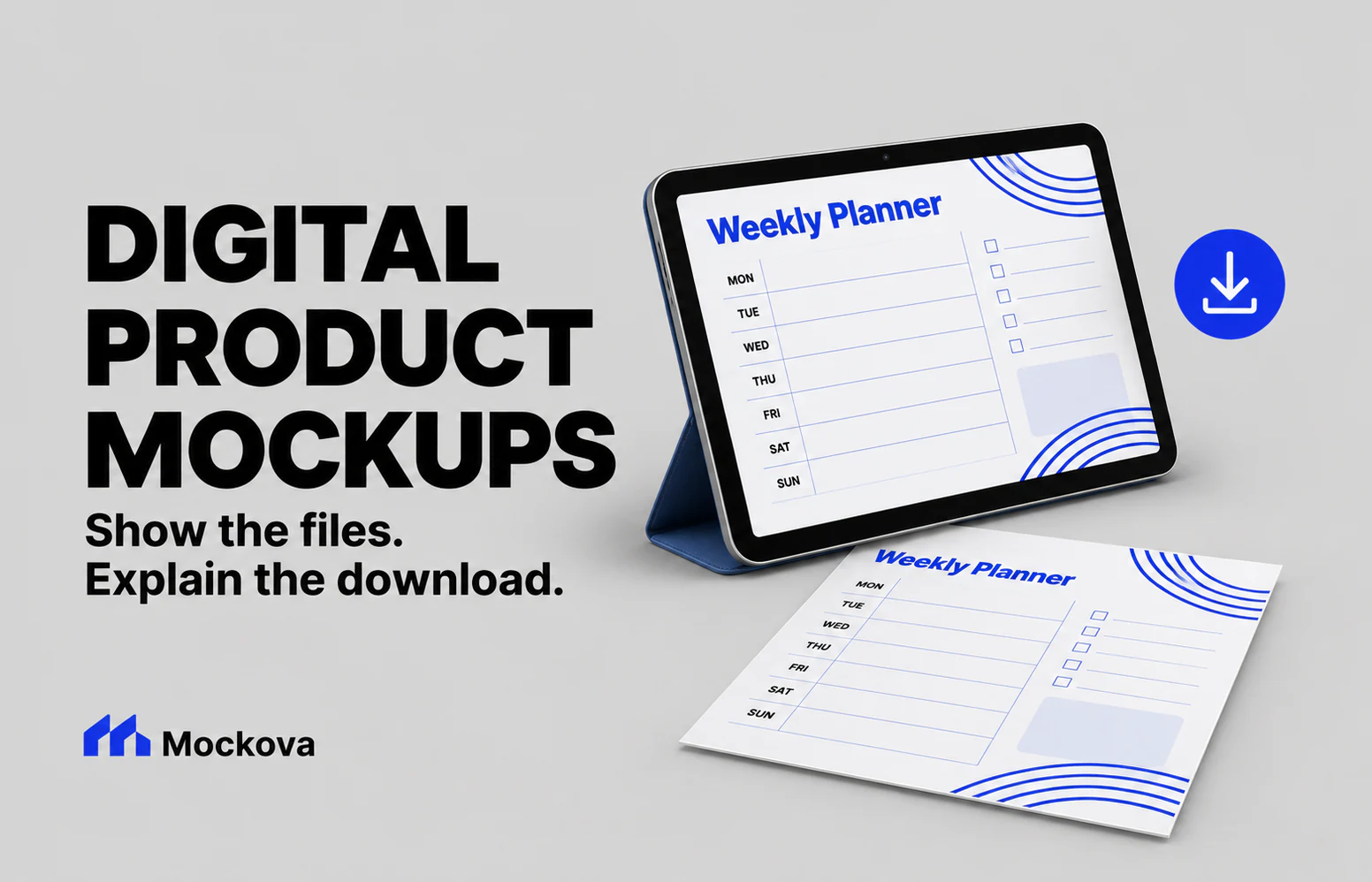
A buyer can’t hold a planner PDF or try on a Canva template. Your listing images have to do all the explaining: what it is, how it’s used, and what they actually get after paying.
That makes Etsy mockups for digital products a bit different from physical ones. They have two jobs: looking good, and making it obvious that nothing is going to arrive in the mail.
Quick answer: For digital products on Etsy, use a clear first image showing the product on a device or in use, then add images for what’s included, inside pages, sizes or formats, and how the download works. State plainly that it’s a digital file. Keep the design readable at thumbnail size, and use images at least 2000 px on the shortest side.
Pick a mockup that shows how it’s used
Match the scene to how a buyer would really use the file:
| Digital product | Best mockup |
|---|---|
| Digital planner | Tablet with a stylus |
| Printable planner or worksheet | Printed pages on a desk, in a binder or on a clipboard |
| Wall art printable | Framed on a wall |
| Canva template | Laptop or tablet with the design open |
| Social media templates | Phone, or a grid of posts |
| Resume template | Printed page and a laptop |
| Spreadsheet | Laptop screen, zoomed in on the useful part |
A printed-page scene can explain how a printable is used. Label it as an example, state that no physical item is included, and check the image requirements for your item category before choosing the first image.
The images a good listing needs
You don’t need ten images of the same thing. Each one should answer a different question.
- The hero. Your product in use, large and clear. This is your thumbnail.
- What’s included. “48 pages”, “3 sizes”, “5 color themes”. Show it, don’t just list it.
- Inside pages. Let buyers see the actual content, at a readable size.
- Sizes and formats. Show A4, US Letter, PDF, PNG and so on, so people know it fits.
- How it works. “1. Buy. 2. Download. 3. Print or edit.” That heads off a lot of questions.
- In context. A lifestyle image helps someone picture it in their routine.
Say clearly that it’s digital
A physical-looking scene can leave buyers unsure whether an item will be shipped. Keep it obvious:
- Add “Digital download” to a listing image. Use “Instant download” only when the buyer actually receives the files immediately; made-to-order files need a clear delivery time.
- Add a line like “No physical item will be shipped” in the images and the description.
- If the file needs an app, such as Canva or GoodNotes, say so. Say if a free account is enough.
Make it readable at thumbnail size
Buyers scan search results quickly, and often on a phone.
- Use one main focal point, rather than a messy collage.
- Keep text short and large.
- Use contrast between the product and the background.
Then test by shrinking the image to about 300 px wide. Our Etsy mockup size guide covers the exact dimensions and how crops work.
Add a plain delivery summary
Use a short summary alongside the images. For example:
Digital download. No physical item is shipped. Includes [number] PDF pages in [sizes]. [Editable / not editable]. Requires [app and account type, if any]. Delivered [immediately / within the stated turnaround time]. Frame, tablet and props are not included.
Replace every bracket with the facts for your product. Test the downloaded files and any template link from a buyer’s perspective before publishing the listing.
Where to get Etsy mockups for digital products
- Free PSDs. Our free iPhone and poster picks work well for screens and wall art.
- Canva. Quick for simple device images. See our Canva guide.
- Generators. Handy for lots of similar listings. See when they’re worth it.
Whichever you pick, check that the license covers product listings. Our guide to mockup licenses explains what to look for.
Don’t oversell the product
Mockups should show the real thing. Avoid these:
- Fake pages. Don’t show designs that aren’t in the download.
- Misleading quality. Don’t show a glossy bound book when it’s a home-printed PDF.
- Fuzzy previews. Blurred content pages make buyers suspicious, even though you’re trying to protect your work. Show some pages clearly, and add a small watermark if you’re worried.
Clear previews help buyers judge the product and understand the delivery before purchasing.
A note on AI images
If you use AI to make listing images or the product itself, read Etsy’s current rules. Its Creativity Standards require disclosure in the listing description when the item is created using AI. In any case, images should show what’s really being sold.
Check the marketplace’s image rules
A license for a mockup and permission to use it as a listing image are separate questions. Check Etsy’s current image requirements for the item category, including when actual-item or actual-result photos are required and what exceptions apply. A simulated scene should not create false expectations about material, scale or what the buyer receives.
FAQ
What size should my digital product mockups be?
At least 2000 px on the shortest side, according to Etsy’s guidance, with the main subject centered so it survives different crops.
Do I need a mockup for a digital download?
A mockup is one way to explain how the file is used. A clear flat preview of the actual pages may explain the content better. Choose images that answer buyers’ questions rather than assuming a scene will increase sales.
How many images should I use?
Etsy allows several, so use enough to answer the main questions: what it is, what’s included, what’s inside and how it works.
Can I use free mockups for my listing?
If the license allows commercial use in product listings. Check each creator’s terms.
Your next step
Look at your best digital listing and ask if a stranger could tell, within three seconds, what it is and that it’s a download. If not, redo the first image, then add the “how it works” one.
About the author
Davut Tekin
Senior Product Designer
Davut Tekin is a Senior Product Designer with 10+ years of experience. He runs Mockova and writes about choosing, editing and presenting design mockups.
See Davut’s design work at davut.me →