Wall Art Mockups: Free Frame and Canvas Mockups for Prints
Free frame mockup and canvas mockup PSDs for selling wall art and printables, plus how to match your print's ratio and show its real size in a room.
By Davut Tekin5 min read
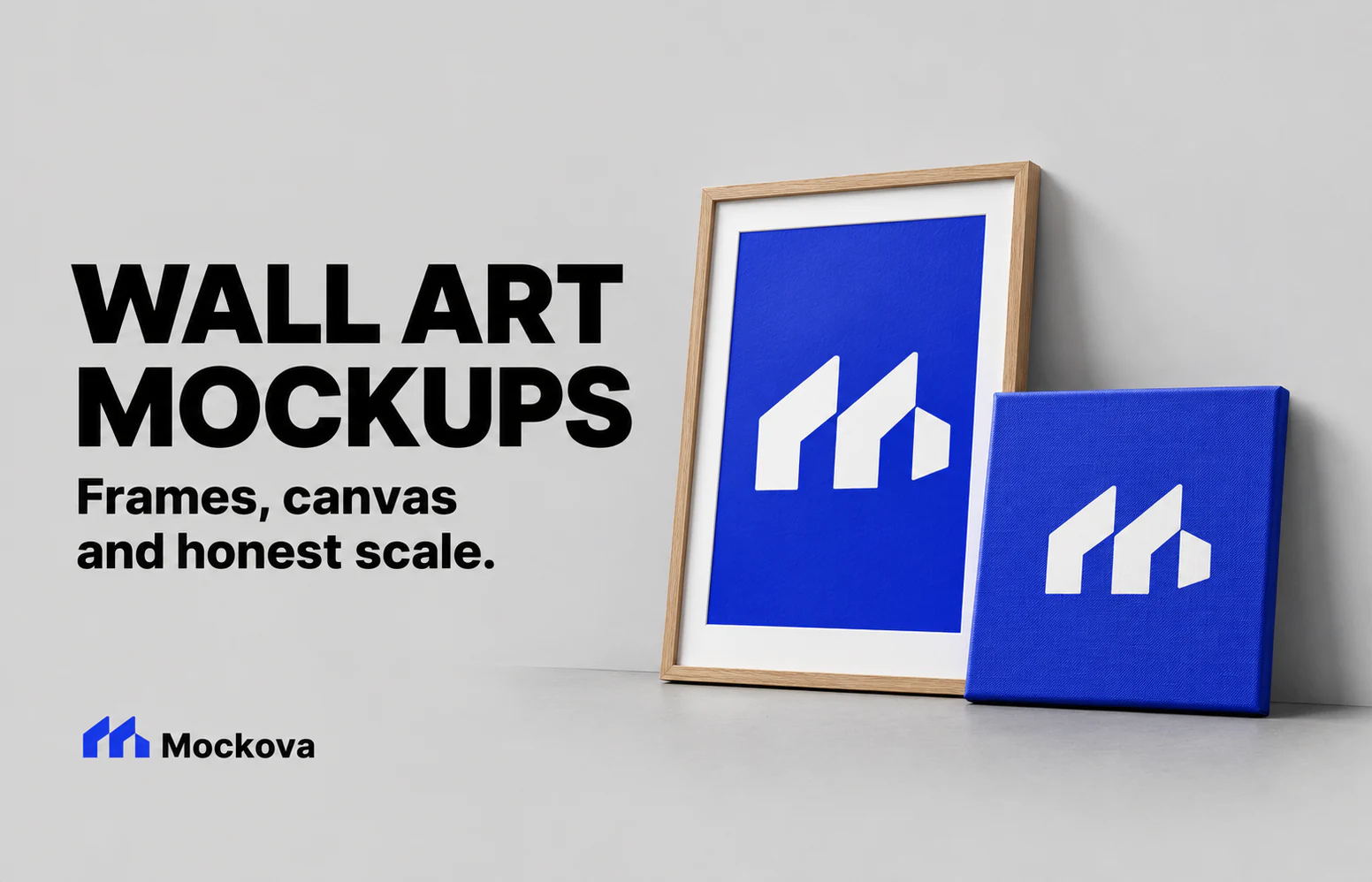
People buy wall art by imagining it at home. A flat image shows the artwork clearly, while a room scene helps explain how it might look on a wall. A frame mockup on a wall can add context, but it still needs accurate dimensions and clear information about what is included.
The trick is choosing scenes that match your artwork’s ratio and showing an honest size. Here are free files that work, followed by how to get them right. They come from Mockups Design, whose license allows commercial use with no attribution. You can share finished images, but not the PSD files. Check each download page and its current terms before relying on it.
Quick answer: For framed prints, start with the frame poster mockup or the posters frame set. For canvas prints, use the free canvas mockup or canvas in a sunny room. Always choose a frame with the same ratio as your artwork, and include one image that shows the print’s size in a room. All picks are free PSDs listed for commercial use.
Pick a scene for the product you sell
| Product | Start with | Check |
|---|---|---|
| One framed print | Frame poster mockup | Artwork ratio, visible area and frame style |
| A matching set | Posters frame set | Which prints and frames are included |
| Landscape artwork | Horizontal poster frame | Matching width-to-height ratio |
| A canvas print | Free canvas mockup | Edge wrap and canvas depth |
These are PSD templates. Open a copy in Photoshop or Photopea and replace the supplied design inside its smart object. Save the inner tab to update the scene; export a finished JPG or PNG. Our PSD tutorial explains the workflow.
Frame mockups for framed prints
1. Frame poster mockup
Five PSD files of a framed poster, the largest framed set here. It’s a good place to begin, since you get several images in one style.
Good for: shop galleries. Watch out for: check the ratio matches your print.
2. Posters frame set
Four PSD files, useful when you’re showing more than one print. Use it to show the actual designs included in a set.
Good for: selling art in sets. Watch out for: keep all the artwork at the right ratio, so nothing stretches.
3. Matt poster frame
Three PSD files with a matt finish frame. A matt frame avoids distracting reflections, keeping the attention on the art.
Good for: detailed illustration. Watch out for: a very dark artwork can blend with a dark frame.
4. Horizontal poster frame
Two PSD files for landscape art, which is harder to find than portrait frames. Don’t force a landscape print into a portrait scene.
Good for: landscape photos and panoramas. Watch out for: make sure your print’s shape is close to the frame’s.
5. Poster frame on the floor
Three PSD files with the frame on the floor, a casual look that’s popular for modern interiors.
Good for: social posts and lifestyle images. Watch out for: it doesn’t show size well, so pair it with a wall scene.
Canvas mockups
6. Free canvas mockup
Six PSD files for canvas prints, the biggest canvas set we found here. Canvas has its own texture and edges, so don’t use a framed mockup if that’s what you’re selling.
Good for: canvas print shops. Watch out for: wrapped canvas shows the sides, so plan your artwork’s edges.
7. Canvas in a sunny room
Two PSD files with sunlight in the scene, a warm option for showing art in a living space.
Good for: home decor brands. Watch out for: strong light can shift how your colors look.
8. Canvas on a shaded wall
Three PSD files with a canvas on a wall in soft shade. It’s moodier, and it can suit darker or more abstract art.
Good for: abstract and moody art. Watch out for: dark artwork can lose detail here.
Match the ratio first
This is the most common wall art mistake. Popular ratios include:
- 2:3 (for example, 24 × 36 in)
- 3:4 (18 × 24 in)
- 4:5 (8 × 10 in, 16 × 20 in)
- ISO / A-series (A4, A3 and so on)
- 1:1 (square)
If the mockup’s frame is a different ratio from your art, don’t stretch. Choose a matching scene. Crop only if the delivered artwork uses that same crop; do not remove details from a preview while selling a different composition. Printable sellers often include multiple ratios in one download, and an image explaining that really helps.
Show the real size
An unclear scale reference can leave buyers expecting a different print size. A buyer pictures a large poster and gets a small print.
- Use furniture as context, but do not assume a generic room mockup is to scale.
- Build a size guide from known wall or furniture dimensions, or photograph a measured setup. If scale is approximate, label it as illustrative.
- Print the dimensions in your listing, in both inches and centimeters.
What images to use in a listing
- Hero: framed on a simple wall, large in the frame.
- Room scene: gives scale and mood.
- Close-up: shows detail and texture.
- Sizes: what’s available, and what’s included.
- Digital note, if it’s a printable: “Instant download, no physical print shipped.”
See our guides on Etsy mockup sizes and digital product mockups.
FAQ
What’s the best free wall art mockup for Etsy?
One that matches your art’s ratio. The frame poster set is a good start, and the license allows commercial use. Check it covers your use. See our guide to mockup licenses.
Can I make wall art mockups in Canva?
Yes. Canva is quick for simple frame scenes, and you can build your own templates using frames. A suitable PSD can give you more control over lighting and layers.
What’s the difference between a frame mockup and a canvas mockup?
A frame mockup shows a print behind glass or inside a frame, often with a white mat border. A canvas mockup shows a stretched canvas with no frame, where the image wraps around the edges. Use the one that matches what the buyer receives.
Why does my art look stretched?
The frame’s ratio doesn’t match your file. Crop or resize your art to fit, without changing its proportions.
Your next step
Check your bestselling print’s ratio, then pick one framed scene that matches it exactly. Add a measured size guide and a room scene for context. State whether the frame is included or shown for illustration only.
About the author
Davut Tekin
Senior Product Designer
Davut Tekin is a Senior Product Designer with 10+ years of experience. He runs Mockova and writes about choosing, editing and presenting design mockups.
See Davut’s design work at davut.me →