Free Poster Mockups: Framed, Studio and Street Scenes
Free poster mockup PSDs for prints, gigs and campaigns: easel, framed wall, bus stop and street scenes, with license notes and a quick distance test.
By Davut TekinUpdated 5 min read
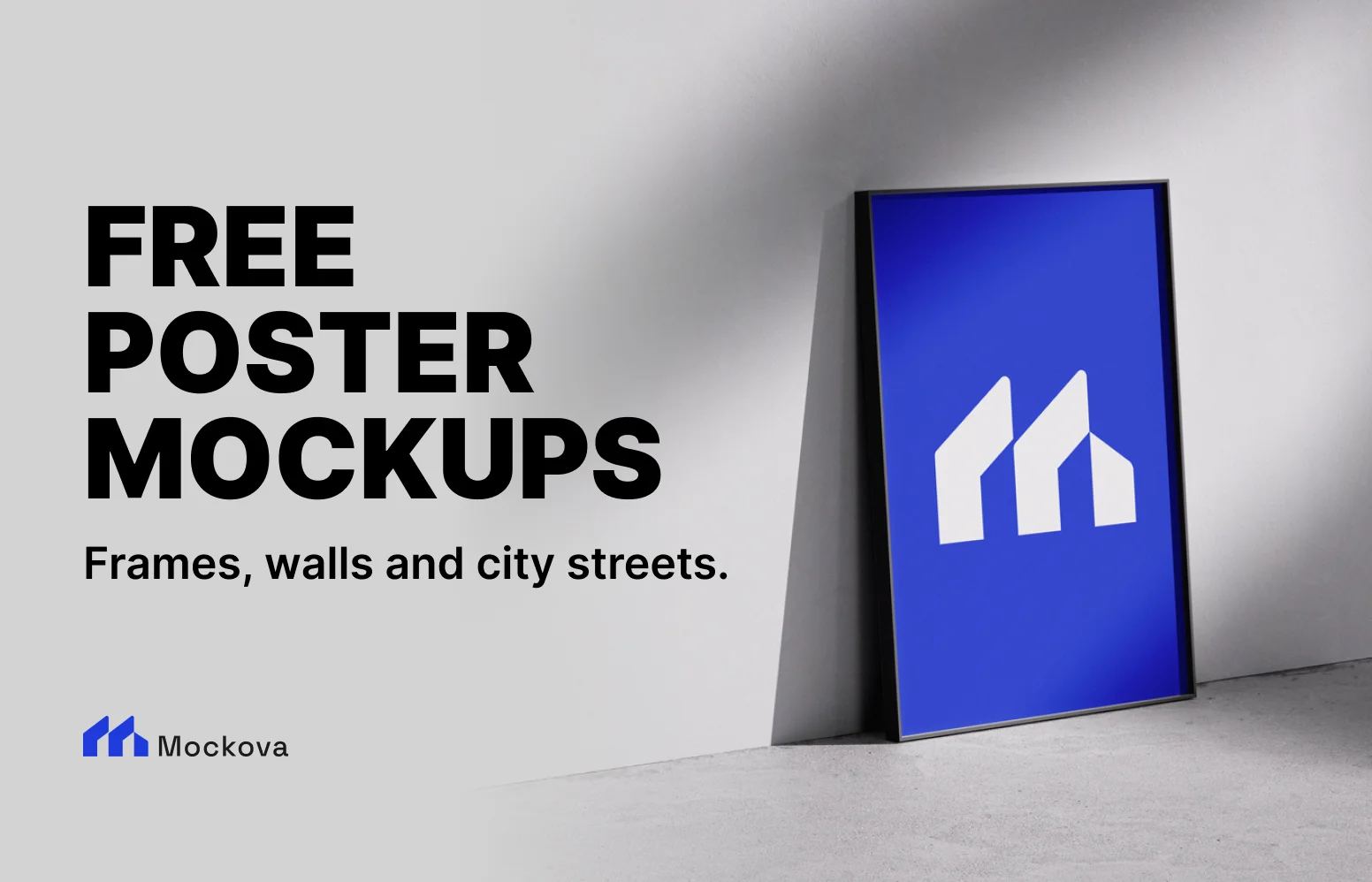
A poster that looks great at your desk can fall apart on a street corner. The headline that felt huge on your monitor becomes unreadable from across the road, and the delicate detail you spent an hour on vanishes completely.
A good poster mockup shows you that problem while it’s still free to fix. These eight free files cover the indoor and outdoor settings you’re most likely to need. Each links to its source page, with source links so you can check the current terms. Terms can change, so check again before paid work.
Quick answer: For clean indoor presentations, start with Mockups Design’s poster easel and framed concrete wall sets. For testing a design at street scale, use its bus stop and citylight posters. For a free-to-use poster with no conditions at all, Firmbee’s “Hold my poster” is released under CC0.
How to use these picks
Start with the product and view you need. Confirm the current file contents, resolution and license on the linked source before downloading.
How we picked
- License information on the source page, checked against the project you intend to make.
- Linked to the creator, not a re-upload site.
- Indoor and outdoor scenes, since they answer different questions.
About the Mockups Design picks: its license covers commercial and client work with no attribution. You can share the finished flattened image, but you can’t redistribute the PSD files or sell them on stock sites.
Indoor and studio scenes
1. Poster easel (Mockups Design)
Four PSD files with a poster standing on an easel. It looks like a gallery or event entrance, which suits exhibitions, conferences and wedding signs.
Good for: event signage. Watch out for: the easel draws the eye, so keep the poster’s main message large and simple.
2. Concrete wall poster frame (Mockups Design)
Three PSD files of a framed poster on concrete. The plain wall keeps attention on the design, and it’s a good match for art prints or architecture and design studios.
Good for: art prints and portfolios. Watch out for: make sure your design’s proportions match the frame instead of stretching it to fit.
3. Elegant poster on the floor (Mockups Design)
Four PSD files with a poster resting on the floor. It feels more relaxed and editorial, and its a nice change from the usual straight-on wall shot.
Good for: portfolio and social images. Watch out for: the angle can compress small text, so show a flat version as well if details matter.
4. Hold my poster (Firmbee)
A single, simple poster scene at 2724 × 4087 px. Firmbee releases it under CC0, so you can use it commercially without asking, although the author would welcome a credit.
Good for: casual social posts and announcements. Watch out for: keep your text well inside the edges, in case anything in the scene overlaps them.
Street and outdoor scenes
5. Bus stop citylight poster (Mockups Design)
One PSD of a backlit poster at a bus stop. People usually see these from a few meters away, often while moving, so it’s a realistic test for a campaign headline.
Good for: pitching outdoor campaigns. Watch out for: long copy. If it takes more than a few seconds to read, it’s too long for this format.
6. Street citylight poster (Mockups Design)
One PSD of a street citylight. It’s handy for showing a client what their design will look like in the city, and it gives you a second location for a campaign deck.
Good for: campaign presentations. Watch out for: small logos in the corner can get lost at street distance.
7. Free simple glued poster (Mockups Design)
One PSD of a poster pasted on a surface, with a rougher street feel. It suits gigs, club nights and anything that’s meant to look a bit underground.
Good for: music and event posters. Watch out for: the look isn’t right for corporate or premium brands.
8. Graffiti wall poster (Mockups Design)
One PSD set against a graffiti wall. Its a busy background, so it needs a bold poster to compete, which makes it a surprisingly good stress test for your layout.
Good for: streetwear and music. Watch out for: pale, quiet designs will disappear here.
Tips for better poster mockups
- Test the distance. Zoom out until the poster is thumb-sized. If the headline disappears, make it bigger.
- Match the format. A-series and US poster sizes have different proportions, so set your artwork to fit.
- Use one main message. Busy posters fail first on the street
- Show flat and in context. Clients need to see details and the real-world feel.
Exporting for your portfolio or social media? See our mockup export size guide. If it looks soft, here’s how to fix a blurry mockup.
No Photoshop? Mockova’s free mockup generator has a poster scene. Upload your design, check how it reads, and download a PNG for free.
FAQ
Can I use these poster mockups for client work?
They were listed as free for commercial use when we checked, and Mockups Design explicitly allows client work. Read each page before you use a file. See our guide to mockup licenses.
What does CC0 mean?
It means the creator has given up most rights, so you can use, change and share the work, even commercially, without asking. Firmbee says a credit is welcome but not required.
Can I sell posters using these mockup images?
Possibly, but read the license wording about product listings or merchandise, and ask the creator if it isn’t clear.
What size poster mockup should I use?
One with the same ratio as your print. A-series sizes (A4, A3, A2) share one ratio, while US sizes such as 18 × 24 in and 24 × 36 in use others. Artwork made for one won’t drop into the other without cropping, so check before you place it.
Your next step
Put your current poster on one indoor scene and one street scene, then zoom out on the street version until it’s tiny. Whatever you can still read is your real message.
About the author
Davut Tekin
Senior Product Designer
Davut Tekin is a Senior Product Designer with 10+ years of experience. He runs Mockova and writes about choosing, editing and presenting design mockups.
See Davut’s design work at davut.me →